Banaras Hindu University (BHU) me admission apply karne ka full process, official portals, required documents, registration, fee payment aur submission beginners ke liye step-by-step guide.
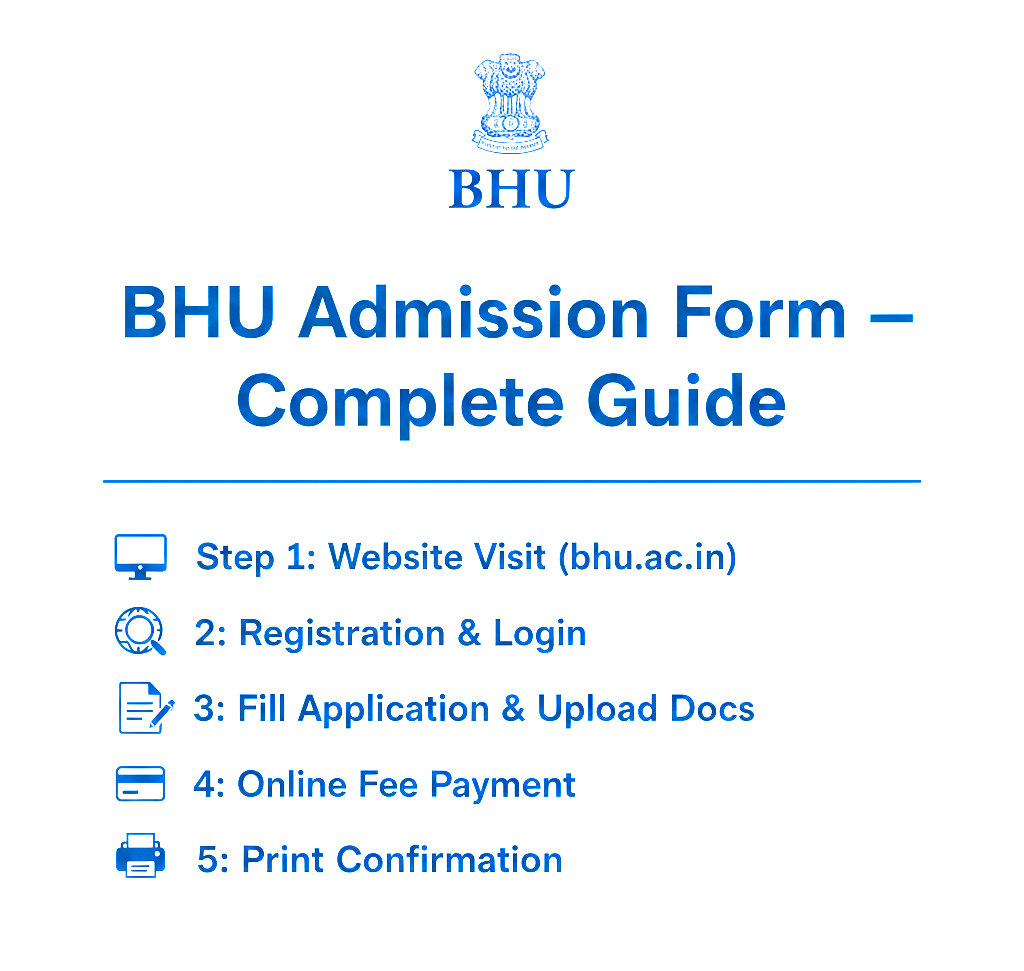
BHU Admission Form – Complete Guide
1. BHU Ke Official Portals (Admission / Form)
- Primary portal for admission & application: https://admission.bhu.ac.in/ admission.bhu.ac.in+2bhucuet.samarth.edu.in+2
- For CUET-UG based UG admissions: https://bhucuet.samarth.edu.in/ bhucuet.samarth.edu.in+1
- For PG admissions (CUET-PG / GAT-B / other courses): https://bhucuetpg.samarth.edu.in/ bhucuetpg.samarth.edu.in+1
- For entrance-test based or other courses: https://bhuonline.in/ (Entrance Test Portal) BHU Online+1
Note: BHU ka offline form system ab mostly band hai – form bharna aur payment online hi hota hai. BHU Online+1
2. Admission Type: UG / PG / Special / Entrance-Based
UG Admissions
- Agar aap 12th pass ho aur admission chahte hain, 2025 me BHU ne UG admission ke liye CUET-UG 2025 adopt kiya hai. bhucuet.samarth.edu.in+1
- Registration & counselling ke liye portal khula rehta hai. bhucuet.samarth.edu.in+1
PG Admissions
- PG courses ke liye agar aapne CUET-PG ya GAT-B ya eligibility test qualify kiya hai, to PG application portal par form bhar sakte hain. bhucuetpg.samarth.edu.in+1
Entrance-Test / Special Courses
- Kuch diploma / certificate / special courses ke liye BHU apna “Entrance Test Portal” chalata hai: bhuonline.in. Agar aap RET / PET / SET ya koi test-based course ke liye apply kar rahe hain, is portal se form bharein. BHU Online+1
3. Admission Form Kaise Bharain – Step by Step
Step 1: Visit Official Portal
- Browser me
admission.bhu.ac.inyabhucuet.samarth.edu.in(UG/PG as per need) open karein. - UG ke liye CUET-UG results & registration tab dekhein. PG ke liye PG admission notification check karein.
Step 2: Registration / Login / New Application
- Agar aap pehli baar apply kar rahe hain “New Registration / Apply Now / Start Application” pe click karein.
- Agar login option diya ho apna username / password ke sath login karein.
Step 3: Applicant / Personal Details Fill Karein
- Aadhaar / ID proof details (as per requirement), date of birth, contact number, email address — sab sahi bharna zaruri hai.
- Address, category (General / OBC / SC / ST / EWS / PwBD), 10th/12th marksheet info ya previous qualification agar PG apply ho rahe hain.
Step 4: Course / Program / Specialization Select Karein
- UG me CUET-UG qualify kiya ho → us hisab se program select karein (BA, BSc, BCom etc.).
- PG me apna course choose karein (MA, MSc, etc.).
- Agar course specific eligibility ho (subjects, marks etc.), eligibility criteria verify karein.
Step 5: Document Upload / Photo-Signature Upload (Agar Required Ho)
- Recent passport-size photograph (jpeg/png), signature scan (agar demand ho). BHU Online+1
- 10th / 12th marksheet, migration certificate, category certificate — agar PG ya special seats ho. (As per instruction bulletin) Banaras Hindu University+1
Step 6: Fee Payment
- Application/registration fee online through net banking / debit-credit card / UPI via payment gateway. BHU Online+1
- Kuch cases me challan (HDFC Bank) ka option ho sakta hai — agar portal allow karta ho. BHU Online+1
- Payment complete hone ke baad “Submit” karein.
Step 7: Confirmation & Save Certificate / Receipt
- Payment aur form submission ke baad confirmation page aayega. EK application number ya payment ID milti hai — ise save / print kar lein.
- Agar portal admit-card / registration slip allow karta ho, usko download / print kar lein.
Step 8: Counselling / Seat Allotment / Admission Confirmation
- UG: CUET-UG result + seat allotment ke baad admission confirm hoga. CAP-UG / allotment schedule check karein. bhucuet.samarth.edu.in+1
- PG: Eligibility + seat allotment ke baad documents verification, fee payment, registration complete karein. Banaras Hindu University+1
4. Required Documents & Eligibility (Common)
- Valid ID proof (Aadhaar, Passport, Voter ID, etc.) BHU Online+1
- Email ID & active mobile number (for OTP / communication) BHU Online+1
- Recent passport-size photo + scanned signature (jpeg/png) BHU Online+1
- Qualifying exam mark sheet (12th pass for UG; UG pass for PG)
- Category certificate if applicable (SC/ST/OBC/EWS/PwBD)
- CUET (UG/PG) registration number & score card (for 2025 admission cycle) bhucuet.samarth.edu.in+1
5. Common Mistakes Jo Students Karte Hain – Inse Bachein
- Fake WhatsApp / social-media links pe click kar ke form bharna — BHU ne warning di hai, sirf official portals pe trust karein. The Times of India+1
- Photo / signature size ya format galat — portal ne specification di hogi, us format me hi upload karein. BHU Online+1
- Payment ka screenshot ya receipt safe na rakhna – admission / verification ke liye zaruri ho sakta hai.
- Documents galat ya incomplete darj karna – admission cancel ho sakti hai.
- Deadline miss karna — admission notice ya portal notification dhyan se padhein.
6. Quick Checklist – Submission Se Pehle
- ID proof aur DOB details sahi hain
- Email & Mobile number work kar raha hai
- Photograph & Signature scan ready hai
- Qualifying mark-sheet ya certificates ready hain
- CUET score / entrance eligibility check ho chuki hai
- Fee payment method ready hai (net-banking / card / challan)
- Payment receipt print / screenshot ho gaya hai
- Confirmation / application number ya admit-slip download ho gaya hai
Conclusion
BHU ka admission process thoda detailed hai — lekin agar aap step-by-step aur sahi documents ke sath apply karte hain, to form bharna aur admission lena relatively aasaan hai. Official portals (admission.bhu.ac.in, bhucuet.samarth.edu.in, bhuonline.in) se hi apply karein aur kisi bhi unofficial message ya WhatsApp link se dur rahein.